
40CFR75 Reporting
breez75x, our 40CFR75 reporting software, is designed to handle the complexities of ECMPS reporting. It will dramatically speed up the time it takes you to generate your quarterly 40CFR75 emission and QA files, and make file maintenance much easier.
Use breez75x to check hourly data and daily calibration checks for potential issues prior to creating quarterly emission files, and easily edit this data if needed. In addition to creating XML emission files, you can use breez75x to create QA files for linearity checks, stack tests (40CFR75 RATAs), and other QA tests in XML format, ready for the ECMPS Client Tool.
40CFR75 REPORTING WINDOWS
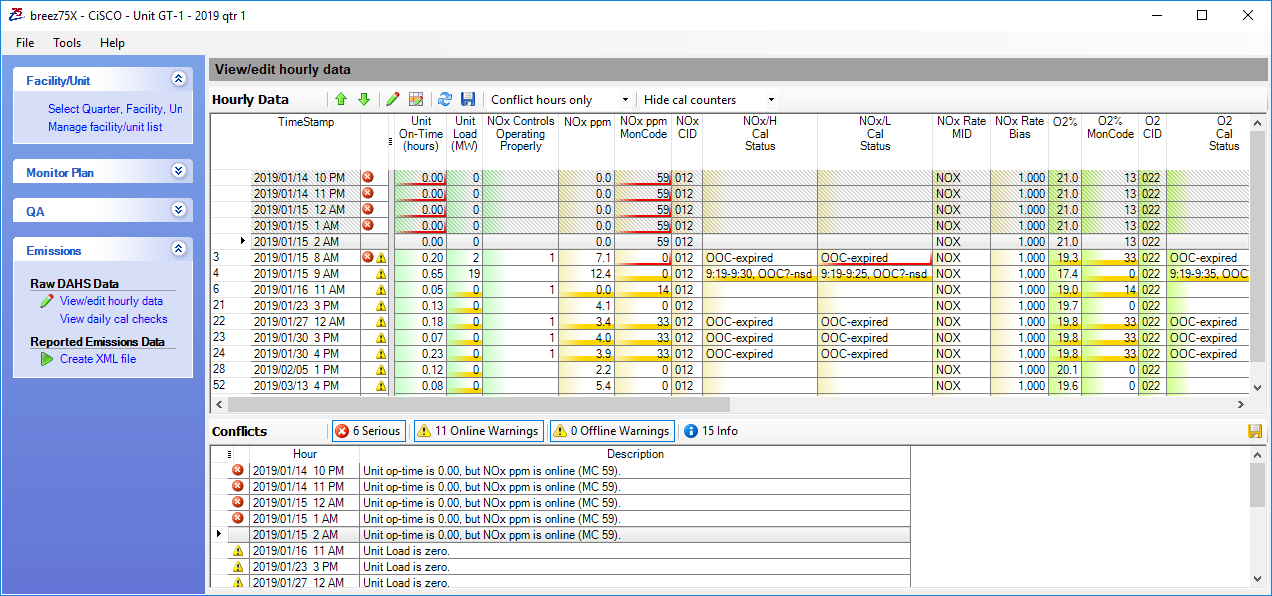
View/Edit Hourly Data
The breez75x View/Edit Hourly Data window allows you to easily identify and resolve possible data issues before generating your 40CFR75 emission file. This window highlights serious issues in red and alerts you to other potential data issues in yellow. Hours with common issues can easily be edited in bulk. You can access this window at any time during the quarter to check data and resolve data issues.
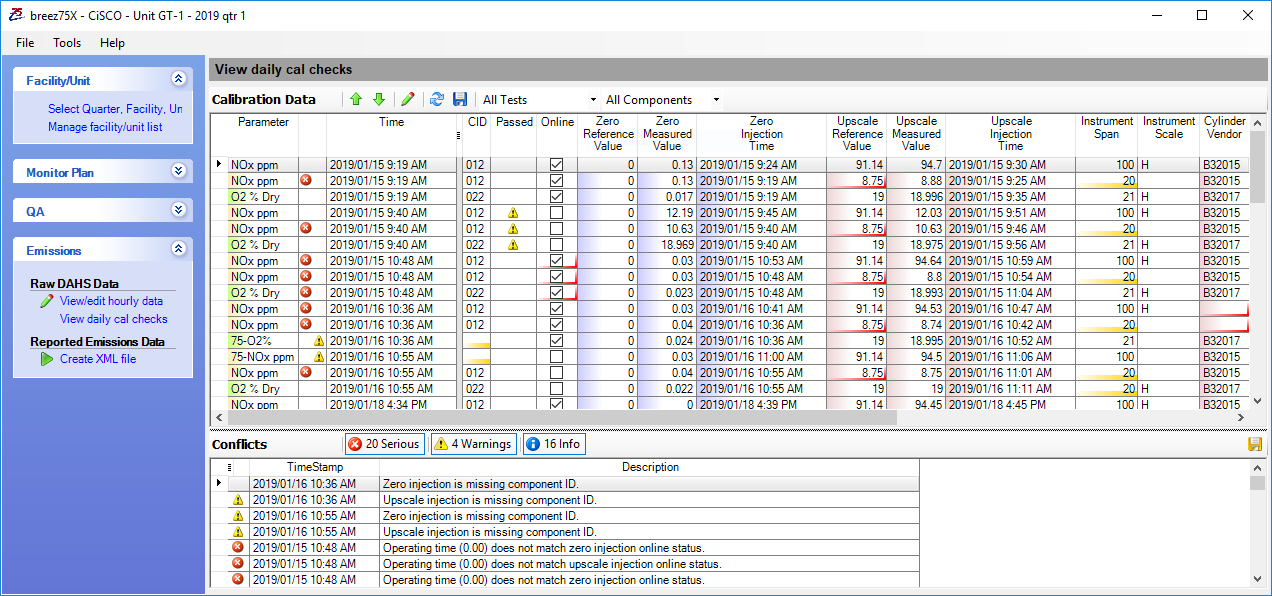
Daily Calibration Checks
The Daily Calibration Checks window in breez75x allows you to review daily calibration checks prior to creating your 40CFR75 emission file. You can use this window to correct cylinder reference gas values, change calibration checks from online to offline (or vice versa), and enter or edit Protocol Gas Verification Program (PGVP) bottle information, required by Part 75.
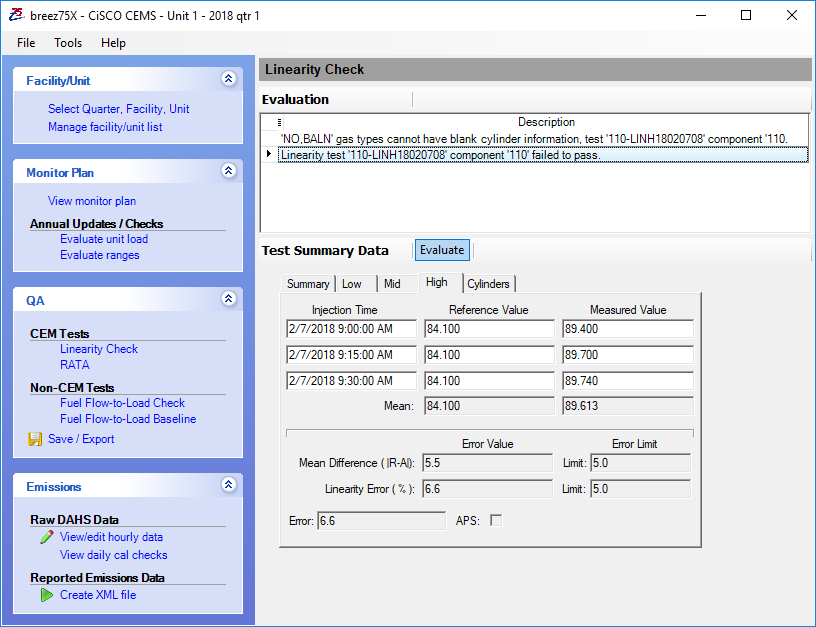
Linearity Checks
Use the Linearity Check window to load and review linearity checks prior to creating the XML for ECMPS. Check to see if the test passed, enter or edit test reasons, correct reference gas values, and enter or edit 40CFR75 Protocol Gas Verification Program (PGVP) bottle information.
RATA Window
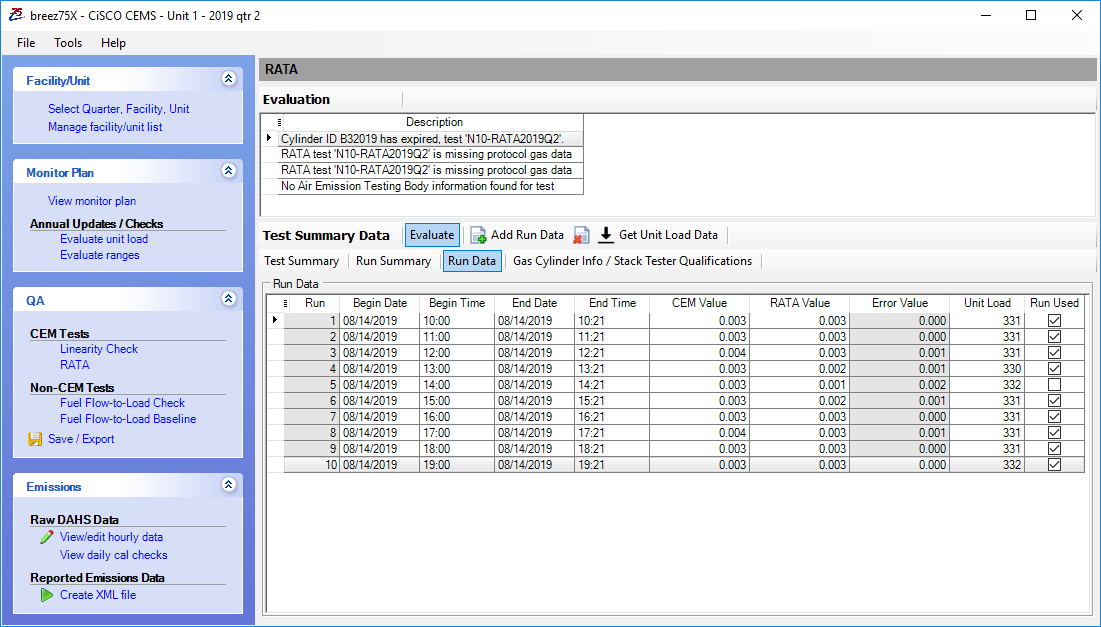
We have streamlined 40CFR75 RATA data entry in our breez75x RATA window. Developed in-house means we were able to control the data entry flow to make it as easy as possible. Use this window to enter your RATA results, then check for data entry errors and pass/fail status before creating an XML file ready to import into the ECMPS Client Tool.
Annual Megawatt Load Range Evaluation
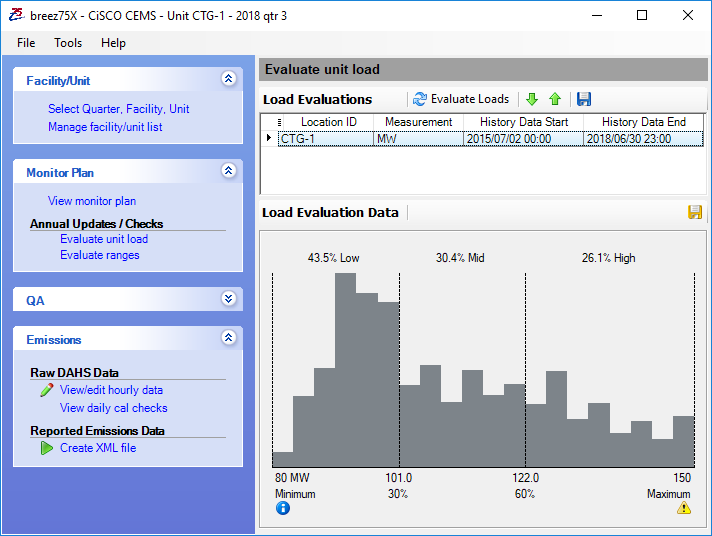
Use breez75x to perform your annual megawatt load range evaluation, required by 40CFR75. This evaluation analyzes the megawatt values in the last 4 operating quarters and creates a bar graph. The graph breaks the unit load range into 3 levels: low, mid, and high based on the upper and lower megawatt boundaries in your 40CFR75 monitoring plan. The percentage of time spent in each range is also displayed which allows you to easily identify your normal operating ranges. You can run this evaluation at any time or save a .pdf for your convenience.
READY TO SIMPLIFY YOUR PART 75 REPORTING?
Talk to CiSCO engineers about configuring breez75x for your facility's monitoring plan and quarterly EDR requirements.