
CeDAR
CeDAR is your best solution for data acquisition, display, storage, and reporting of Continuous Emission Monitoring System (CEMS) data.
Launched in 1998, CeDAR is a highly configurable, user-friendly product designed to meet present and future data acquisition and reporting needs. It handles turbines, boilers, kilns, incinerators, smelters, and furnaces, and is configurable for multi-unit or single-source installations.
CeDAR is flexible and easy to configure. When permit requirements change or alterations to your site occur, simply contact CiSCO: CeDAR's configuration can be quickly altered to meet your new requirements.
TECHNICAL MODULES & FEATURES
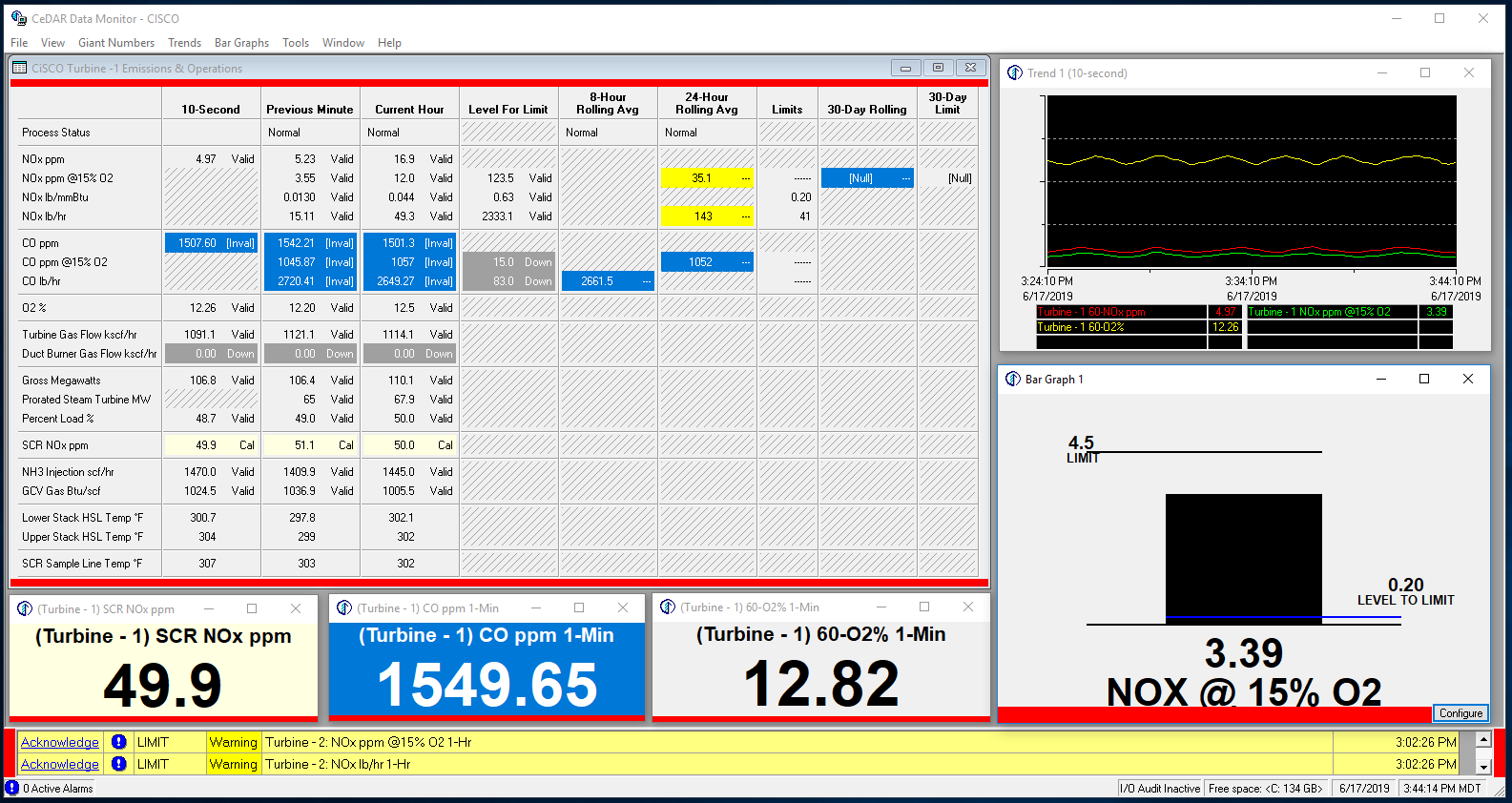
Data Monitor
Features real-time data monitoring, historical trends, and emission/operation windows. Includes resizable numbers and bar graphs for optimal visibility. Operators can view and acknowledge system alarms and perform daily calibration checks directly from this interface.
Alarms Window
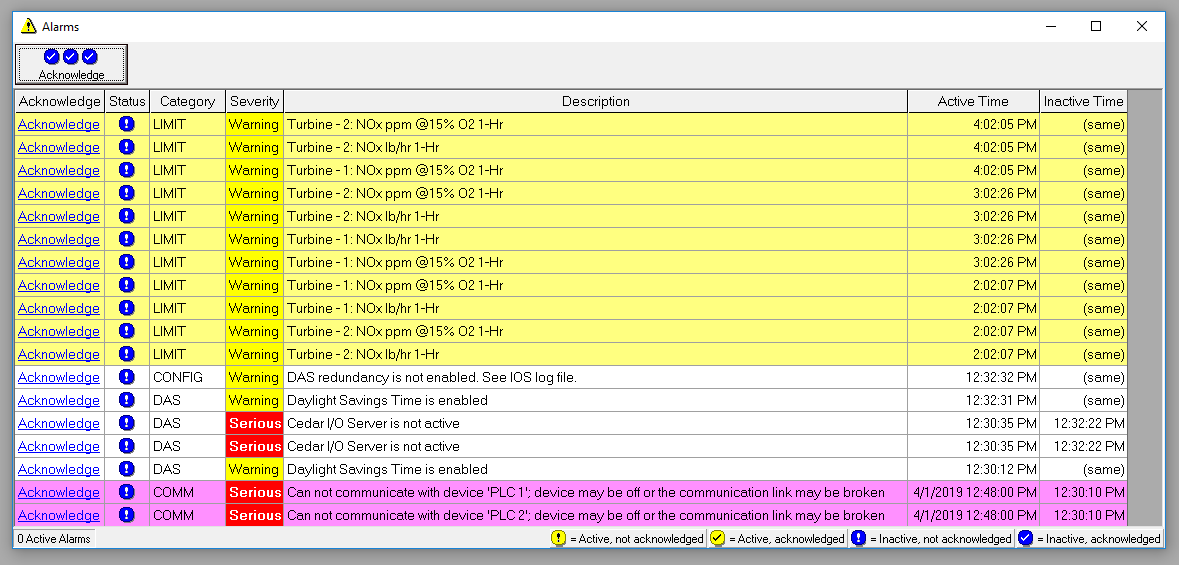
In addition to the alarm banner at the bottom of the main Data Monitor window, CeDAR can be configured to pop up a dedicated alarm window when new alarms occur. It alerts you to abnormal CEMS conditions, warns of potential excess emissions, and displays other information about the status of the CEMS.
Flashing colors and banners indicate alarms that need to be acknowledged. Users can acknowledge alarms individually or all at once. Once acknowledged and no longer active, they drop off the Data Monitor window automatically. Every alarm is stored to the CeDAR database and can be viewed historically in the Data Editor or by running an alarm report.
Data Editor
The Data Editor allows operators to view, verify, and edit a wide variety of data. In addition to hourly data, use it to edit and graph daily calibration checks, add reason and action codes for CEMS downtimes and excess emissions, and view and edit CGA and linearity check data.
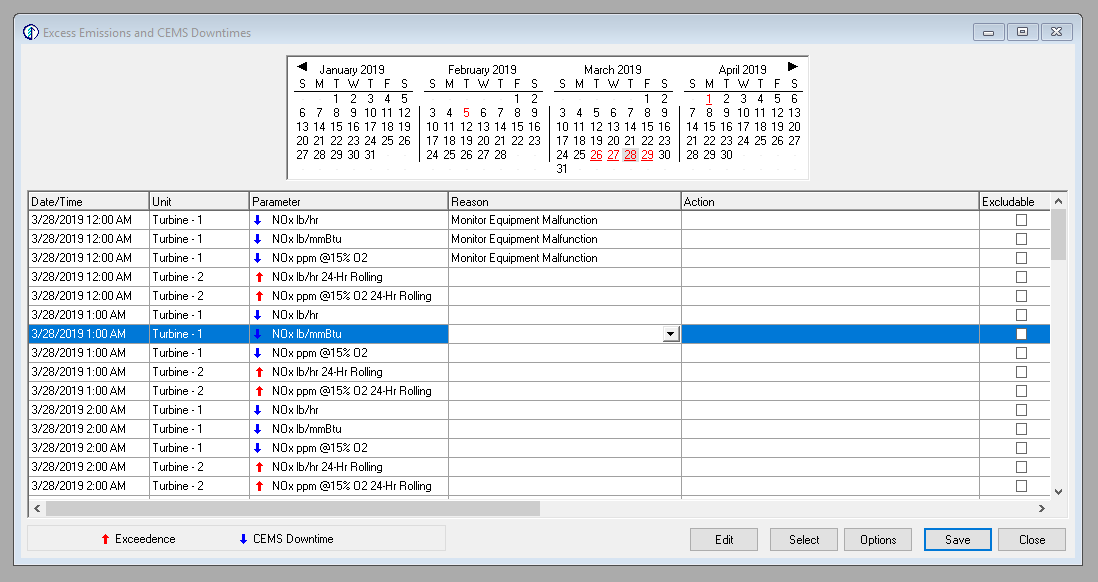
Edit Excess Emissions and CEMS Downtimes
Dates with excess emissions or CEMS downtimes appear in red on a calendar at the top of the window. Dates that are also underlined still need reasons entered. Once saved, the underline disappears. An action code field captures additional detail.
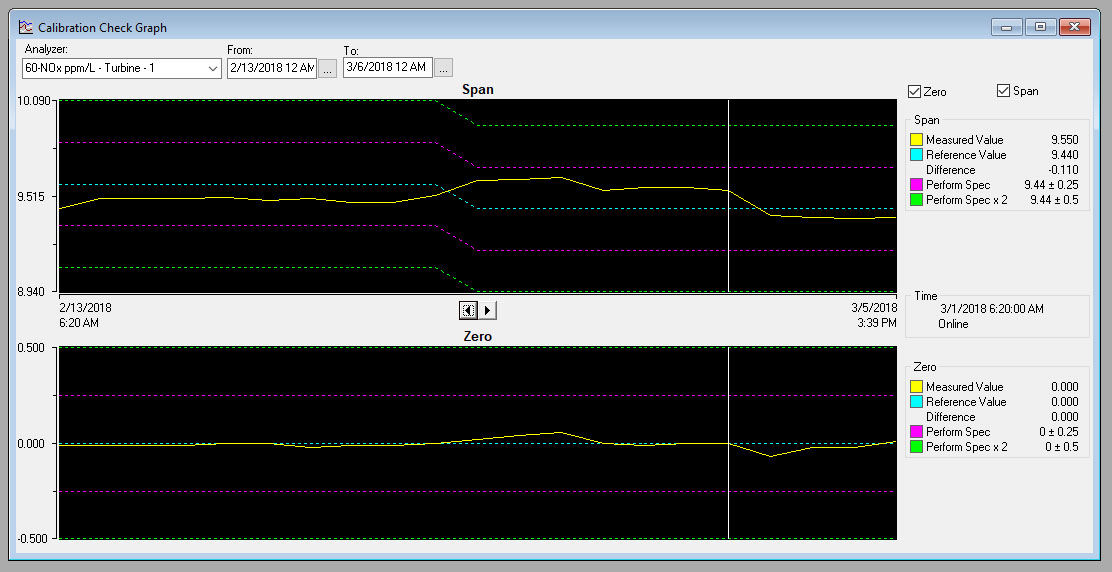
Graph Daily Calibration Checks
Troubleshoot analyzer drift using reference and measured values for zero and span alongside acceptable ranges. Hide non-consecutive checks when comparing two, or run a linear regression to predict when you'll fail a daily calibration check based on current drift.
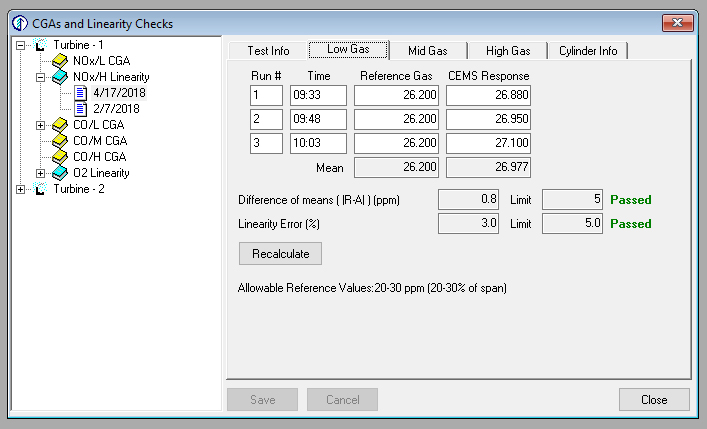
Edit CGA's and Linearity Checks
Review CGA and linearity checks on test completion: see whether the test passed, enter a test reason, correct reference gas values, and enter or edit 40CFR75 Protocol Gas Verification Program (PGVP) bottle information.
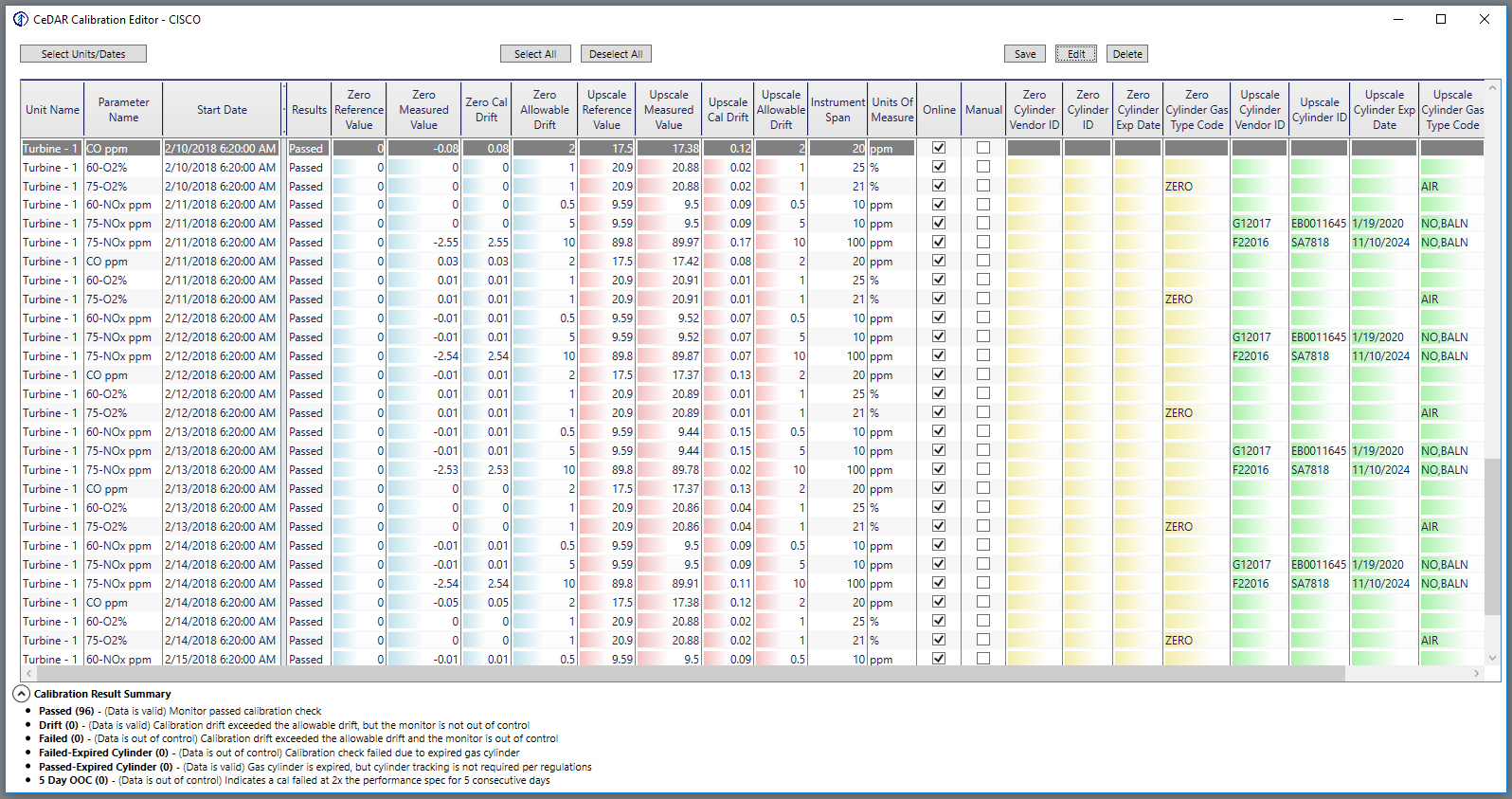
Daily Calibration Check Editor
Correct cylinder reference gas values, switch calibration checks between online and offline, and enter or edit PGVP bottle information required by 40CFR75. Checks can be filtered and sorted into groups for easy bulk editing.
Data Reports
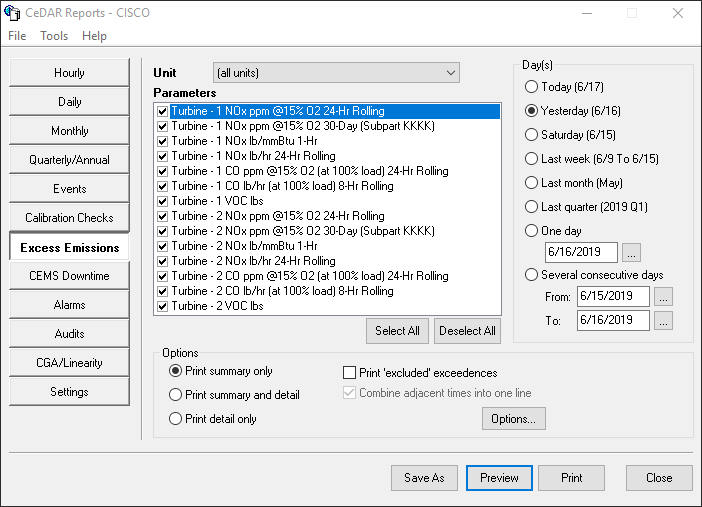
CeDAR comes with an array of standard reports and the ability to configure custom reports to meet your individual needs. The Report Design Wizard allows users to design, configure, and store their own report templates effortlessly.
READY TO UPGRADE YOUR MONITORING?
Whether you need a new DAHS installation or a replacement for an existing system, CiSCO engineers are ready to configure CeDAR to your facility's exact requirements.